
1.1 KiB
1.1 KiB
uid
| uid |
|---|
| addressables-build-profile-log |
Build profile log
The Addressables build process always creates a .json log file that contains build performance information. You can find the log file in your project folder at Library/com.unity.addressables/AddressablesBuildTEP.json.
View the log file with the chrome://tracing tool in Google Chrome or another Chromium-based browser.
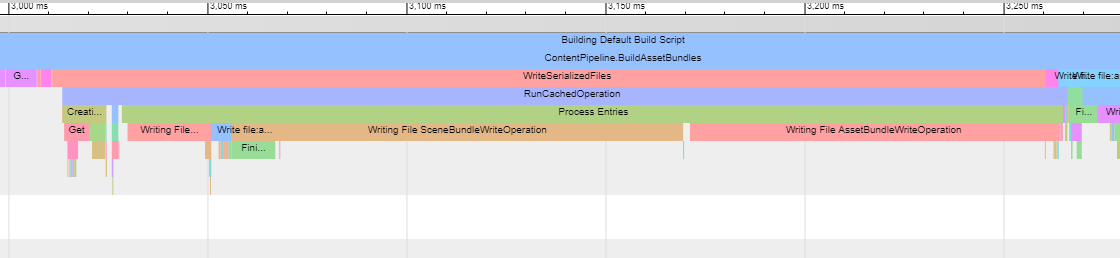
A sample log file displayed in chrome://tracing
View the build profile
- Open a Chromium-based browser.
- Enter
chrome://tracingin the browser to open the Trace Event Profiling Tool. - Click the Load button.
- In the file browser, navigate to your Unity project’s
Library/com.unity.addressablesfolder. - Open the
AddressablesBuildTEP.jsonfile.
Refer to Unity Scriptable Build Pipeline for more information about build performance logging.